How to Find Which Plugin WordPress Website is Using
- WordPress
- free wordpress plugins, how to check which plugin website is using, how to find a wordpress plugin, premium wordpress plugins, wordpress plugins
What is Plugin Detection in WordPress?
How to Find Which Plugin WordPress Website is Using: Most of the websites at present are built on WordPress. WordPress is a CMS for building websites and manipulating them very easily. We can build and create a more attractive website using the WordPress plugin.
WordPress plugins provide help functionality for a WordPress website. If a developer wants to check his/her plugin does not conflict every time with another plugin, he/she needs to detect what plugins are being used by the WordPress website.
Related Post: 5 Best HR Management WordPress Plugins 2024
Also Check Out: Purpose Of Attendance Management System
WordPress is currently powering more than 26.7% of websites on the Internet, Surely there must have been times that you wanted to know what WordPress plugin a site is using, who is the author, and what are the plugins installed.
Because you want to check those plugins out but you don’t know how to do that. There are a handful of WordPress theme detector tools available and today I will compare these tools to let you know which tools will work best for you.
Tools that would simply do just this specific task. There are myriads of tools but not every one of them is good. We have free online WordPress theme detectors, plugin detectors, browser add-ons, WordPress theme check plugins, and CMS checkers.
But before testing out the tools, you should know that there’s a manual way of detecting WordPress plugins without using any WordPress plugin detector tools.
There are two ways to check CMS manually or use an online tool that will shorten the scan time. For example, we can use online tools that will determine the type and names of CMS by searching for specific templates in the source code of the site pages. In addition, there are services such as the Sitechecker tool that can crawl your website using the following parameters:
-
HTML source code
-
Meta tag “generator”
-
Service pages in robots.txt
-
Appearance URL
Best Methods to Find Which Plugin WordPress Website Using
Method – 1 Manually Plugin Detection of WordPress
Detect the plugin in WordPress locally
Each WordPress plugin is required to have a main.php file. This main.php file has a name with its plugin name. This file contains the plugin name, plugin version, plugin author, plugin description, Author URI, Plugin URI, etc.
To locate this file, first, you need to
1. Go to your WordPress directory
2. Choose the wp-content folder
3. Select your plugin
4. Choose and open the main.php file (plugin-name.php) in a text editor.
This will open the source code of the page you are viewing in a text editor. Plugin source code that looks something like this:

You may be able to find the Plugin’s URL or Plugin Author’s URL here which will lead you to the plugin used.
Detect the Plugin in the WordPress site manually.
- Go To Inspect
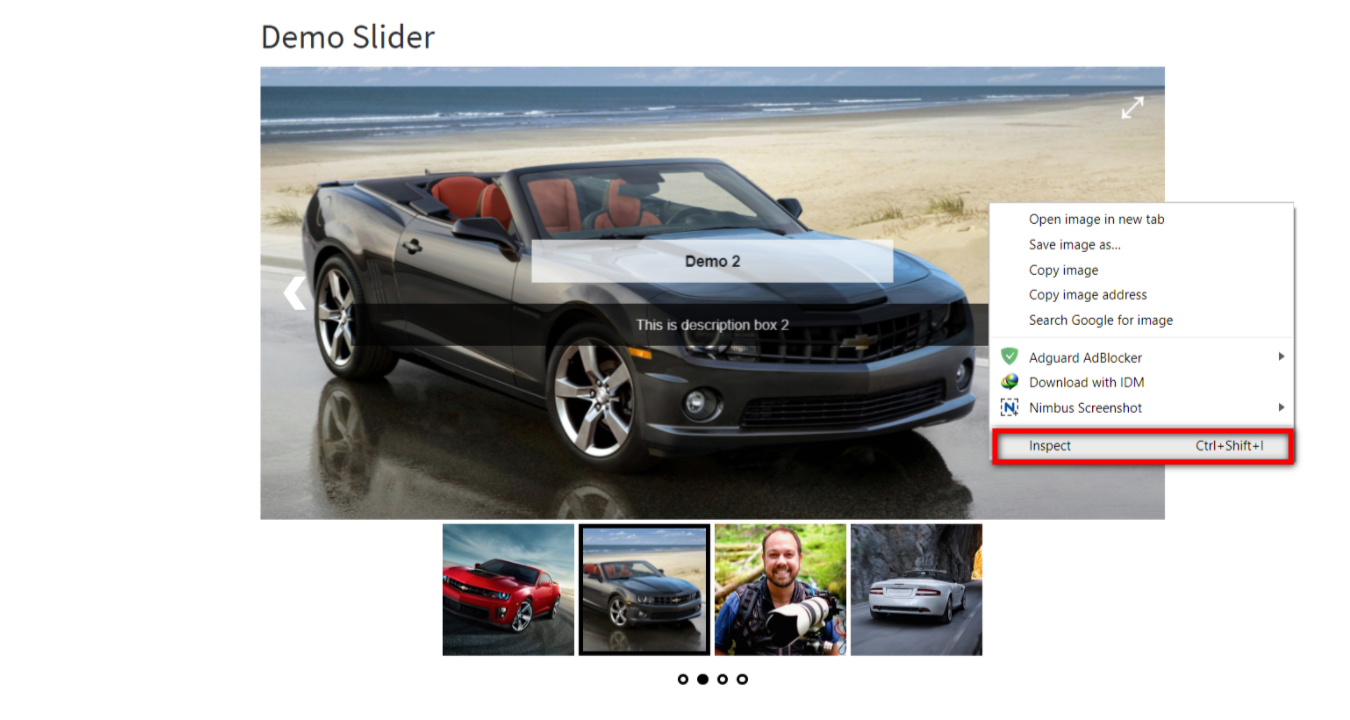
2. Select Source Tab and go to directory wp-content/plugins/…
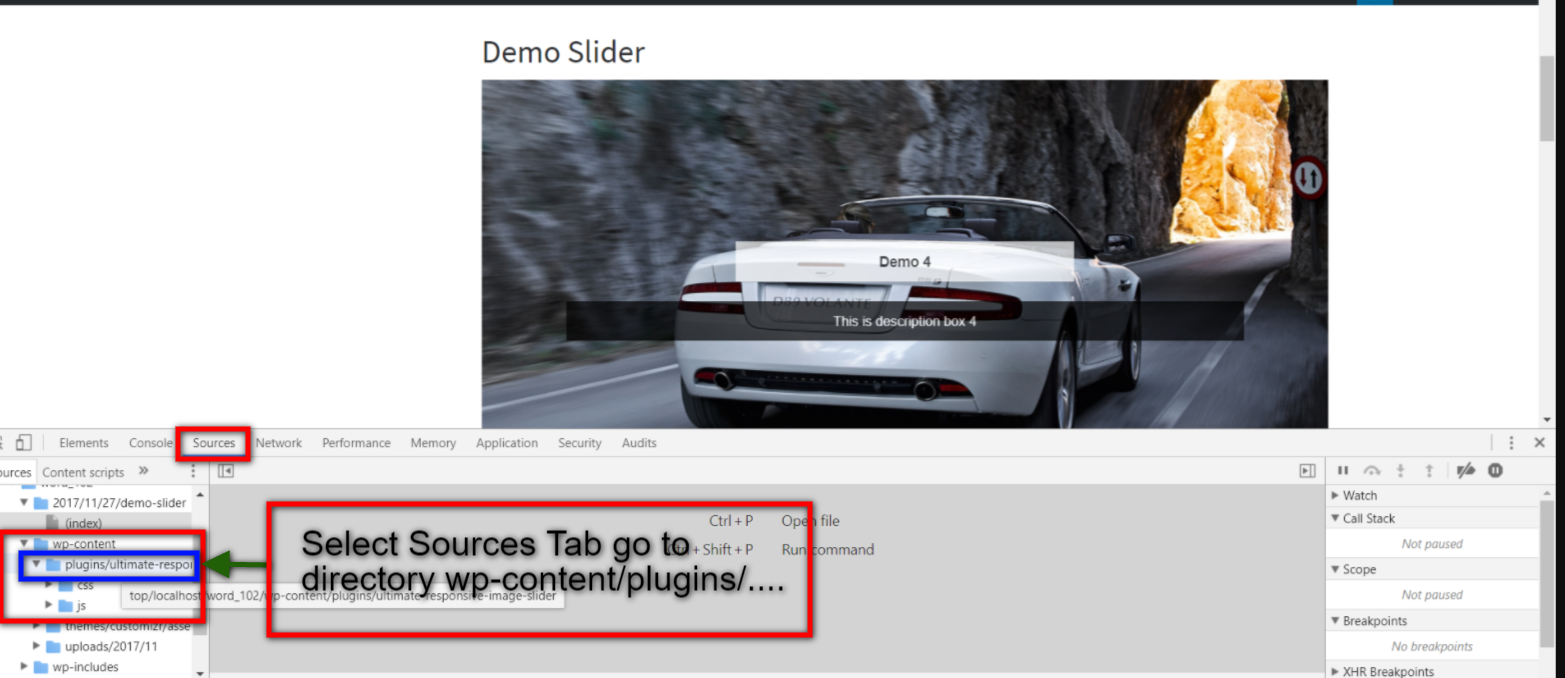
After the plugins directory, you find it plugins directory.
Method – 2 Detect WordPress Free and Premium Plugin using a tool

This is a tool to find plugins installed on WordPress-powered sites. WP theme detector is a powerful tool to detect our site using the free plugin or premium plugin, like this screenshot.
Example – If, I want to detect what plugin is used by https://www.lufasi.org?

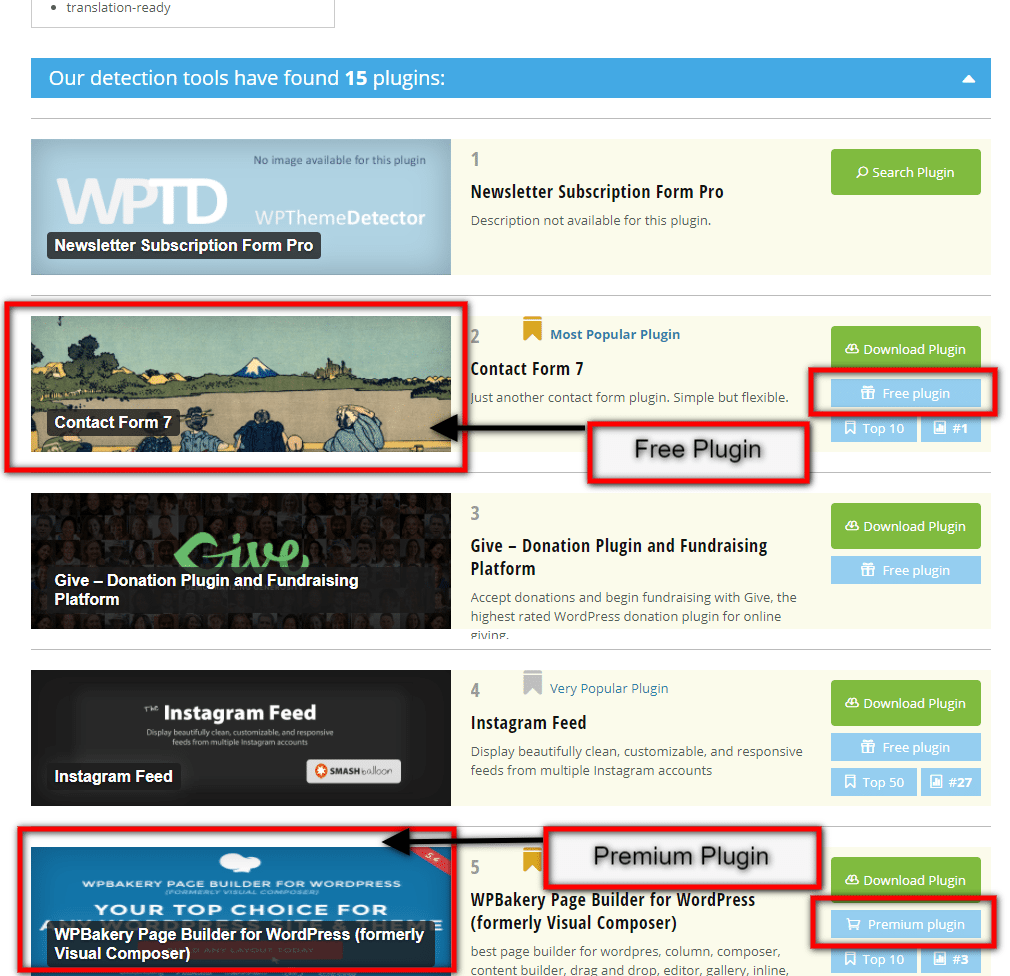
2. IS IT WP

This is a tool to find plugins and themes installed on WordPress-powered sites.
Example – If once again I want to detect what plugin is used by https://www.lufasi.org?
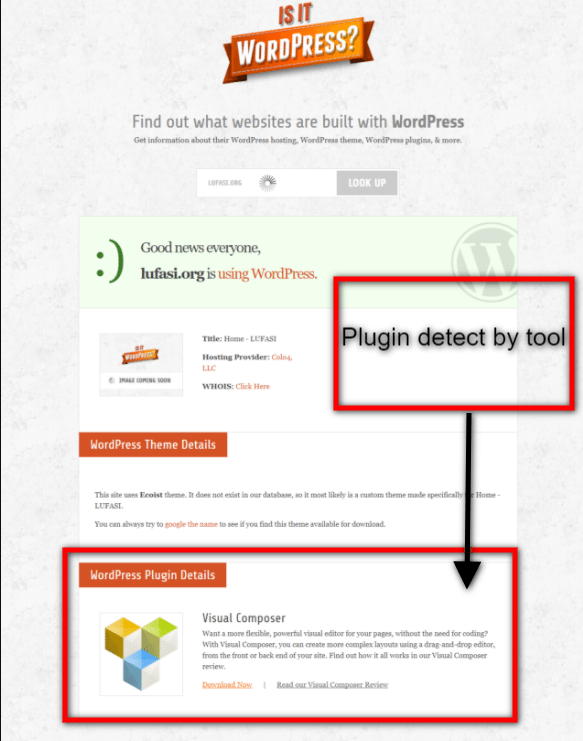
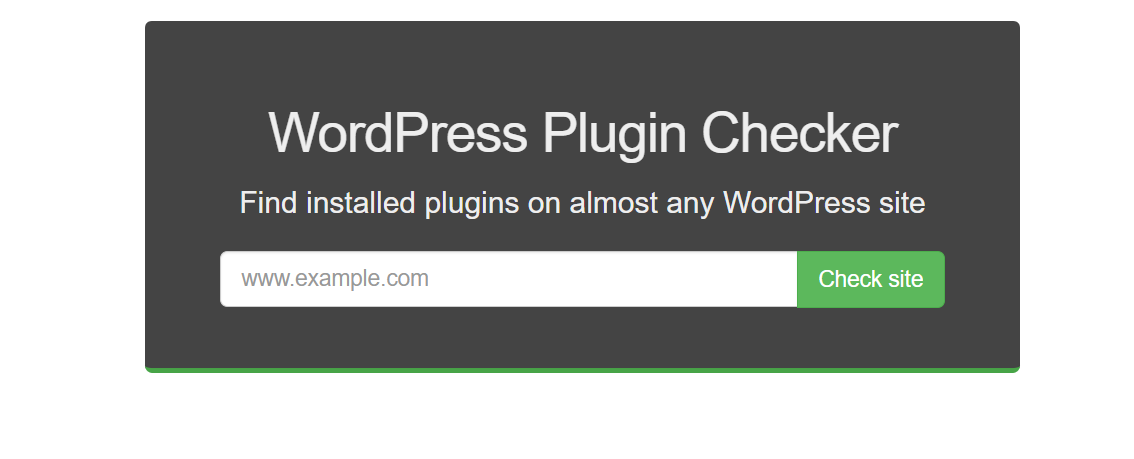
Through this tool, you can find plugins installed on WordPress-powered sites and it is pretty efficient in its work.
Wrapping Up – How to Find Which Plugin WordPress Website is Using
WordPress plugins are support pillars for any website and if you want to create a user-friendly and accessible website, important plugins have to be installed. The methods stated above help you find out what WordPress plugins your competitors are using so that you can judge how to make a familiar website for your type of crowd.
Premium WordPress plugins need to be purchased before using and free WordPress plugins are freely downloadable from either merchant site or wordpress.org directly.
[wp-faq-schema title= FAQs”]
school management



Leave a Reply