Incredible Free Theme – Home Page Documentation

Welcome to Welizar , Thank you for using the “INCREDIBLE” Theme.

Here I will GUIDE you through How to Create the Home Page Template as given in the screenshot.

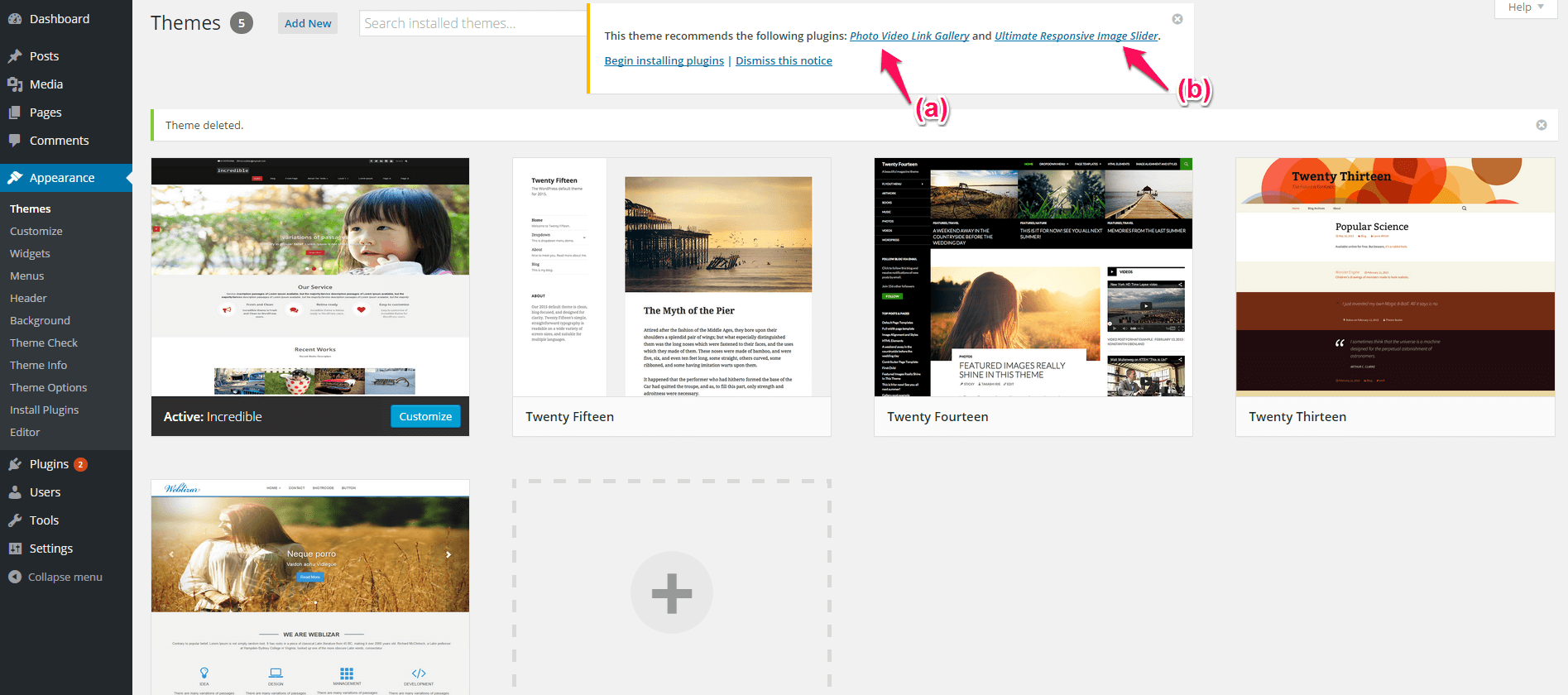
  1. I’m assuming that you have already  installed  & activated “Incredible” , Go to your WordPress (WP’s) admin dashboard . You will see TWO PLUGIN RECOMMENDATION  (a)  Photo Gallery Video Link Gallery (b)Ultimate Responsive Image Slider.screen1
  2. Install and Activate Both the Plugins .
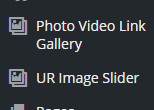
  3. You will see Both Plugin in your admin panel like in the screenshot.screen2
  4. (a) Now Start With  Photo Video Link Gallery , Create a Gallery and you will get an Gallery Shortcode for that specific gallery.
    (b) Now perform similar procedure for Creating Image Slider in Ultimate Responsive Image Slider , and Get the shortcode.
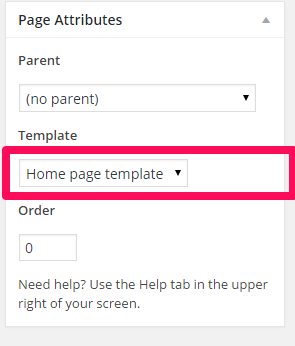
  5. Now After creating your both Galleries , Go the Page -> Add New Page >>> Under the Template, You will find Home-Page Template , Assign it. screen3
  6. Paste the shortcode you have got in step 4. You can Put some Other Content According to your requirement.

And After creating the Custom Home-Page Template you can set That page to your Custom Static Front-page from the Reading-settings.


**Note** : In the Premium Incredible whole Home Page will be populated using the Custom Post Types. 

If you have any queries feel free to ask me.

Thanks
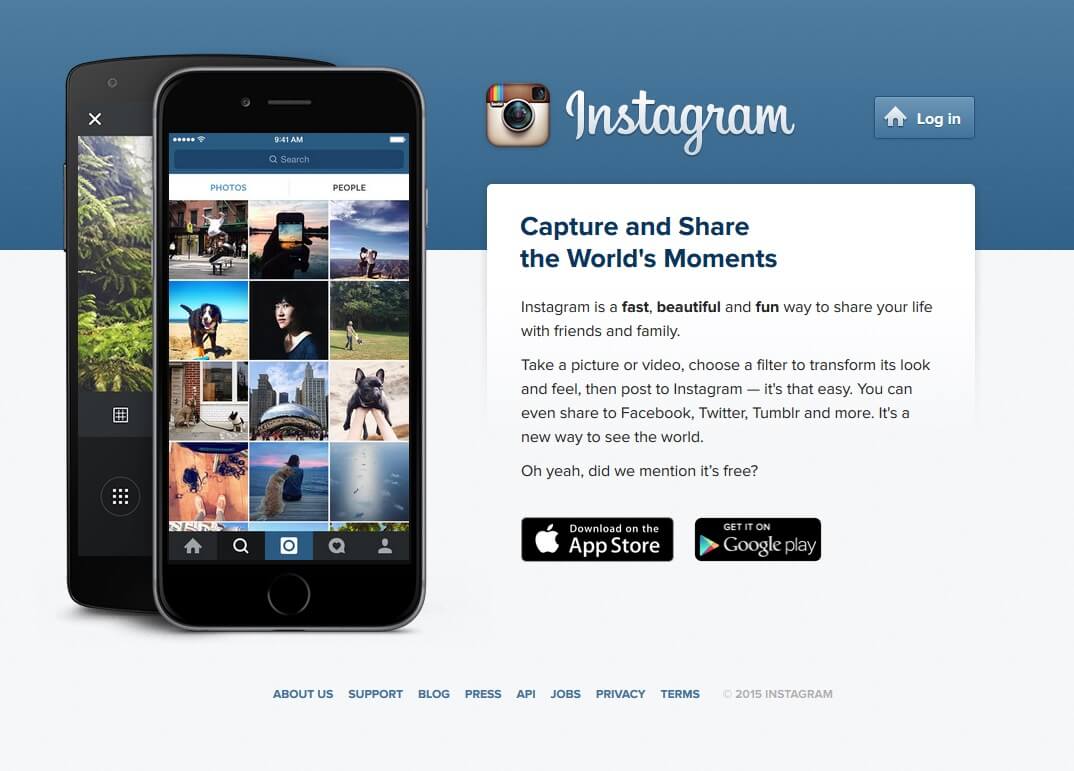
Get Instagram Client Id

Instagram is an online photo, video sharing, and social networking service that enables its users to take pictures and videos, and share them on a variety of social networking platforms, such as Facebook, Twitter, Tumblr, and Flickr.

What is Instagram Client Id?

Instagram  Client Id is an encrypted key which is generated from Instagram developer center using the Instagram account. Client id usages by application software which is installed on your website or mobile devices.

Why we need Instagram Client Id?

Client Id usages via different apps, plugins, software extensions to authenticate application request on the Instagram server. These application usages your client id to fetch your Instagram account details like photos, video, account information. When an application request to Instagram server then server validate the client id and send all the requested information to an application which is installed on your site.

Next, we are explaining to generate your own Client Id from using own Instagram account.

Continue reading “Get Instagram Client Id”

Get Youtube & Vimeo Video URL

Getting the video URL of a  YouTube & Vimeo video such an easy task.

The purpose of article to help non technical users to easily find out the method of video URLs. We are explaining the article into Two parts, part one will tell you about how to get YouTube video URL?  and part two will tech you how do i get Vimeo video URL?

So, Let start with –

Part One : How to get a YouTube video URL?

Firstly go on YouTube official website. Like i am trying to search “Taylor Swift – Blank Space” a music video song and it’s URL.

Continue reading “Get Youtube & Vimeo Video URL”

Get Flickr API Key

The Flickr API is available for Commercial  & Non Commercial use by outside developers and Flickr users. Flickr API can be used to configure your application on different platforms  and applications like Android Phone Apps, Web Applications, Various Plugins & Extensions. Apps use your Flickr API key to fetch information from your account, get you photo stream, photo albums and your photo collection.

Here we get the answer of this qestion that how to get Flickr API Key. And here is the set to get Flickr API Key:

Step – 1

Open the below link to get your Flickr API Key. Make sure you are already logged into your Flickr account before going to click on below link.

Link is: https://www.flickr.com/services/api/misc.api_keys.html


Step – 2

Link will redirect your to Flickr API Key apply page.

Click on “Apply for your key online now” link same as below screenshot.

Continue reading “Get Flickr API Key”

Get Flickr Album ID

This tutorial will teach you, How to get your Flickr Album ID?

We are explaining very easy and simple three steps tutorial to get your Albums ID from Flickr account.

Follow below step by step instructions

Step – 1

First you needs to login in your Flickr Account. Follow this link to redirect you to Flickr Account Login Page.

After login Flickr will redirect you to Home Photostream Page as below snap. Hover your cursor on first menu link YOU, then a drop down menu will be appears. Select the Albums menu link to go you photo album page.

Continue reading “Get Flickr Album ID”