How To Increase Conversion On Your Website

We all have faced this challenge when we have visitors on our site but still the conversion rate is very low as compared to the traffic we are getting.

This is the bottleneck for every site owner who is promoting their services or selling products online. There are some common terms that we hear frequently such as landing page or sales funnel or conversion rate, but many of us aren’t still clear how to use these terms for our own benefit.

Let’s talk about some methods that we can try to increase conversion on your website or in simple words convert our customers into visitors.

Give Things For Free

It’s human tendency that before purchasing anything we love to try and test it. It’s not an easy task to reach out to your customers pocket directly by just debriefing your product or service in words, you have to have them use it first without asking them to pay for it (trial period).

free-hugs

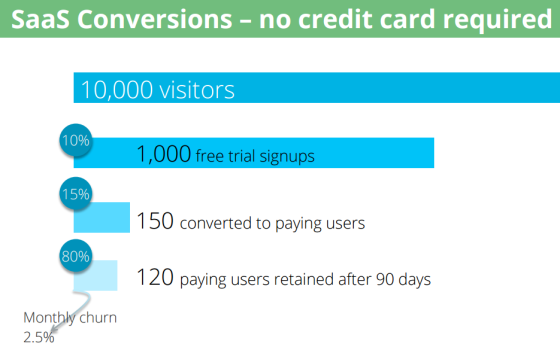
Make sure you are not asking them to register their credit card details before offering them the trial version as according to a study, asking for customer’s personal information drops your sign up rate by 93.27%.

credit-card-required-case-study


A piece of research from Totango clears it all

credit-card-not-required-case-study

Let them come back for more after their trial period ends, and be legit. If your product or service helped them in any way, they’ll buy it for sure.

Show Sign Of Authenticity

People generally like to follow the herd, if they’ll see that everybody is buying it, they’re more likely to do so as well.

Show Testimonials on your homepage or products/service page to make them feel safe about your business. Let them know it through user rating or positive reviews or feedback your previous clients gave you in form of testimonial.

testimonials

If you can bag a testimonial from a well-known face, do so (perhaps by giving free samples to industry bloggers). But if not, even a gleaming review from an average John will still leave a positive impact.

Use Live Chat

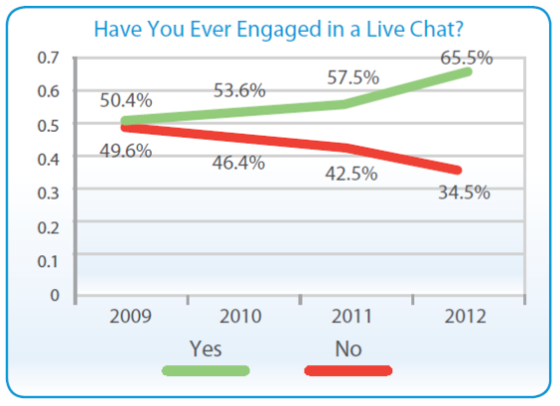
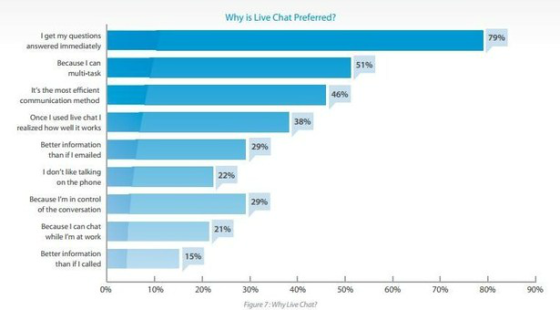
The last few years have seen the adoption of live chat by both companies and consumers expand exponentially.

live-chat-graph

The main reason behind customer’s loving live chat is because they get answers immediately without waiting in a cue or for a mail revert.

live-chat-interesting-sector

Companies also liking live chat feature so much as stated by Virgin Atlantic “one live chat agent can typically do the work of about 15 customer specialists who are handling emails and calls” and carries importance because you can actually intervene before a confused customer leaves your website.

Design An Exit Overlay

Many times you must have seen a pop up as soon as you have decided to leave the site, those pop-ups are known as Exit Overlays. On majority, you’ve been annoyed by them (I’ve been there). Chances also are, that – on occasion – you’ve been fascinated by the message displayed and, consequently, have converted (I’ve been there too).

The notorious reputation these pop-ups hold clarifies that many site owners are afraid to use them straight away. They’re missing out, though, because the data shows that they do work. Not every time, obviously, but tests by Rooster found that found that implementing an exit overlay “saved” 7.16% of their visitors.

There are some tools that can help you in creating an exciting exit overlay for your website. Few of them are,

Bounce Exchange

Picreel

Exit Monitor

Try them.

Make Comparison Page

Whatever marketing vertical you are from, competitors are always there to provide better than you and that actually divert your traffic to your competitor’s website.

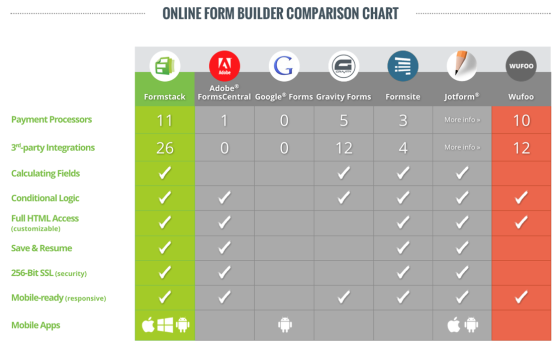
Prevent this by creating comparison chart or page or some tool that can calculate savings for your consumer if they use your product/service instead of going to your competitor.

Remember do not show how bad or worse your competitor’s products/services are but show how much better your products/services as compared to your competitor. That will trigger a sense of trust in your customer.

Take a look at this example:

competitor-graph-map

Don’t forget, that search engines can’t usually “read” the content of images. A comparison chart like this one should always be accompanied by an optimized blog post that makes full use of the image’s ALT tag.

Try and implement these things onto your website and you’ll get the results for sure, I cannot say you’ll see massive changes as soon as you’ll implement them but try them and twist them according to your customer’s need.

Hope you enjoyed the blog post.

And if you haven’t read about content marketing trends of 2017, read here.

Or check out how WordPress is going to change in 2017.

Content Marketing Trends for 2017

Content Marketing has always been on the shinier side of the paper where marketing strategies are building up. To stay trendy, you need to follow public’s demand and keep it on top as content is king and public is king of the kings.

Today, we will be discussing some of the predictive content marketing trends for 2017 year.

How Will Content Marketing Emerge in 2017?

According to some of the industry experts, 2017 might prove to be bit challenging for the marketers.

“In 2017, content marketing is going to be even more challenging than it is today.”

Rand Fishkin, founder and wizard of Moz


“There’ll be fewer winners with much bigger jackpots.”

Larry Kim, founder of Wordstream

1. Better Creativity Better Branding

Content marketing has always been about blogging, ebooks or any other type of written content that can generate more email subscribers for the brand. These strategies continue to command, but brands will need to be more creative with their content’s formats to break through the cage.

Visual content will become more important and will carry more weight since search engines are getting better day by day at crawling and analyzing images to determine what your site is all about.

Gif lovers will be happy. I am certainly one of them.

2. Content Will Be More Niche

With more competition into the already filled pool of content marketing in 2017, things are bound to get competitive and hard. Start giving more value to the tiniest possible things that you ignored previously as these little tiny bits together will become your supportive hand.

For example, rather than writing a blog post about “how to attract customers online,” you’re better off writing about “how to attract returning customers through Facebook Ads.” Writing about an over-discussed topic won’t help you in gaining the limelight, rather you will be standing among the rest. To stand out of the rest, discuss what possibly can be your niche. Ask yourself, Why should people read your post instead of thousands of others? Think like your niche audience and carve out more of that knowledge hole to serve the best.

3. All Hail Supreme Commander – Video

Without any doubt, the video is going to be the next big thing as it has already shown it’s powerful presence in the previous year. According to Syndacast, 74 percent of all traffic will be video in 2017.

Social video platforms like Facebook are already into the game and they are optimizing feeds to improve their user’s experience. Having more videos also improves SEO, as Google—which owns YouTube—favors them in search results. Wait, first complete reading and then get ready with your camera’s to film.

4. Traditional Marketing Will Be Outperformed By Content Marketing

This is a more known fact that brands are spending more on content marketing than advertising. This trend will prevail in 2017 as well.

In fact, Sam from HubSpot predicts that this trend will lead publications that generate leads with content marketing to buy out those monetizing with ads. Content marketing is more cost-effective than it’s counterparts, such as ads and companies are preferring to allocate more money on content marketing to value themselves up.

Phew! my job is still gonna be with me.

5. Consistency Will Be Vital in Engaging Your Audience

Content marketers know the secret behind acquisition but retention is not the thing they ver much focus on. In 2017, this secret ingredient will be mixed will our content niche and brands will be more aware of building growth from their existing customer slot rather than following “just acquire them” trend. Measuring daily or weekly active users to ensure consistent engagement until conversion is one the key recipe.Instead of just bringing you to this blog post, we should optimize it so that you engage, subscribe, and keep coming back.

Likeways instead of just reading this blog post, you should engage, subscribe, and keep coming back for more lovely blogs. I know you all liked this blog post and you will be coming for more. I can totally rely on you guys !

So that’s all folks!

The little and the big hidden secrets those are going to conquer 2017 as far as content marketing is concerned. Try and test it, comment below for any niche query and you’ll be answered for sure.

If you are looking how to create a better infographic, read this post or read out about WordPress Trends in 2017.


7 Pro Tips To Create A Balanced Infographic

Infographics are in action nowadays. According to Hubspot, the number of searches for infographics on Google has tremendously raised over 800%. Infographic generation rate grows by 1% every day.

Companies like to include infographics into their content marketing tactics because they bring compelling results. People who are practicing infographics onto their blog posts and websites are increasing by 12% compared to those who aren’t doing it. Visual content is powerful and consumers find it more engaging than mere text because 65 percent of people are visual learners.

So how do you think you should design your infographic content to captivate your target audience and shout your brand out?

Here are 7 Pro Tips To Create A Balanced Infographic……..

1. Look what’s around

To make sure your infographic stands out and performs excellently, you need to check what has been done so far in that respective field and how it is performing. Check the most popular infographics to see what elements they have in common.

Pinterest is a great place to find out infographics those are already in the market. Make sure you are searching most pinned post (infographics) to get an idea of what people are liking the most.

Another great website is Visual.ly, where you can find attractive infographics distributed under several categories.

While observing the infographics, you should few questions: which of them sends a powerful message and engages users in sharing or commenting? Which of them is most informative? Do they prompt users to take a step and make it easy to do that? These question will allow you to think of a great infographic idea.


2. Think of a great idea !

The basis for your infographic is the idea. One of the most effective techniques used by brands is analogy.

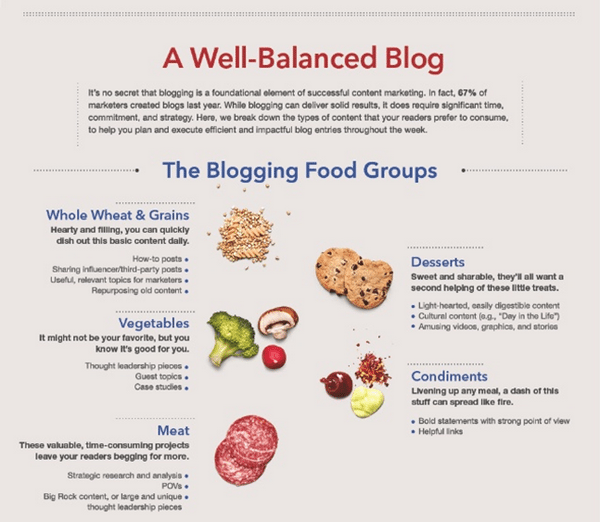
Creating-Infographics-With-the-Analogy-Concept

Take a look at this eminent infographic created by LinkedIn Marketing Solutions, which uses a food analogy to show how blogging fuels content creation.

Before setting out to create your infographic, you must set its purpose – is it amusing, shocking or serious? Your main aim should always be to teach and encourage your audience.


3. Ensure your data is authentic

Relevancy of your data and the message you are spreading should be at the top, as well as it should be never seen never heard kind of data and impressive as well. Otherwise, you’re making an infographic about facts everyone can simply learn elsewhere. Make sure the sources you are using are reliable. Fact-checking is an essential procedure to ensure your infographic is accurate.

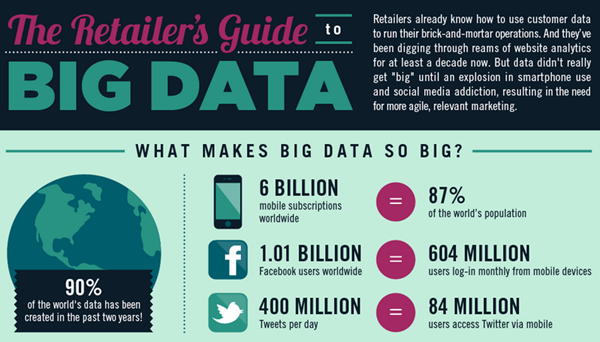
Add-Quality-Data-to-Your-Infographic

Take a peek at this amazing infographic by Monetate entitled The Retailer’s Guide to Big Data. It’s packed with figures and numbers represented in several graphs that are composed to capture the most important facts for e-commerce big data and display them in the most digestible way.

Always credit your sources.


4. Make it Sweet and Simple

Your style should be easy and logical – restrict yourself from using many fonts, stick to one style for your visual media and follow your color scheme. Make sure your different section have clear visual connections between each other so that your user doesn’t get confused.

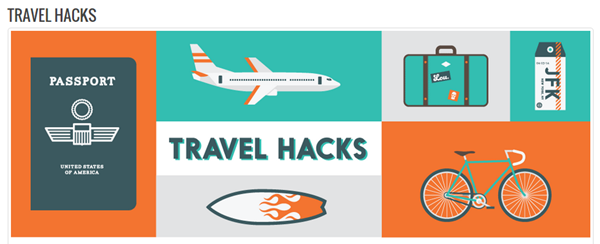
Design-Infographics-With-Simplicity

We should look at this, Travel Hack’s infographic by Best Hospitality Degrees. Every element of the infographic follows the same style and color scheme, which is composed of just a few colors and shades.


5. Engage user’s with an interesting story

All the facts and figures you have chosen should redirect and back up your main story. It cannot be just a bunch of interesting facts – each and every piece of data should add to the main story.

6. What is the right size?

Website loading time plays an important role in customer engagement and optimization of the site. That’s why it’s a good practice to always use compressed JPEG format to reduce the weight of the infographic. This will ensure that the page loads quickly without making the visitor wait too long.

Another important factor is size. You should go for a width of no more than 735 pixels – otherwise, you will risk your infographic to get re-sized and that can mess up its dimensions. Keeping your width under 735 pixels is important for sharing as well – especially on Pinterest, where 735 pixels is the full width of an expanded image.

The total length of your infographic should be under 5000 pixels. If it’s too long you might lose the attention of your audience.


7. Keep it Optimized for Sharing

As infographics tend to get a lot of traffic to the website, you must embed it in a blog post, optimize it for sharing and of course share it on your own social platforms.

Using a tool like Sumome you can easily optimize it for sharing by placing social media share buttons next to the infographic. This will encourage other visitors to share it.

How to share infographic effectively?

You can start off by creating a special image for Facebook and adding it to your blog post. You can then write an attention-grabbing headline and then begin sharing it to all your social networks.

Always include your website URL, the logo of your company and add links to your social channels in the infographic so that people will always know who created it.

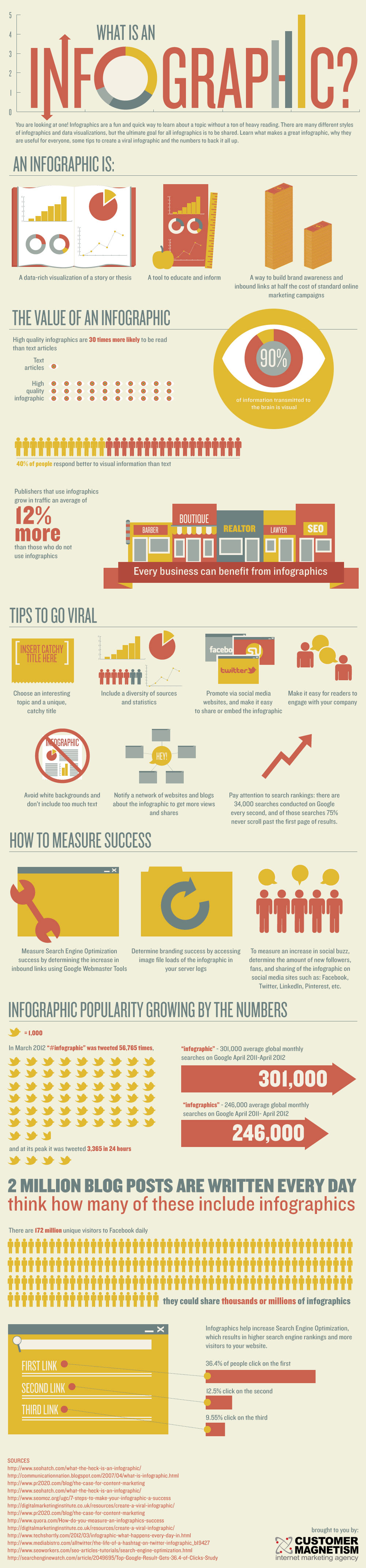
Here’s an example of an effective brand infographic.

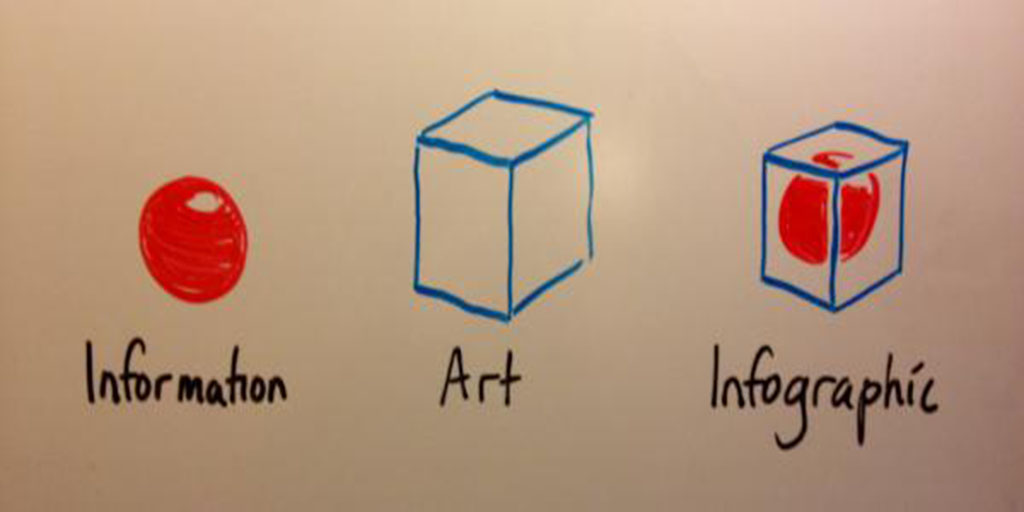
At Last, Infographic Explained Infographically,

What is an Infographic?
Created by Customer Magnetism.


Hope you have enjoyed these 7 pro tips to create a balanced infographic.

Don’t forget to read Top 3 Reasons to Get Green Web Hosting, as this is the future.

Also if you didn’t know about top 10 google services you probably didn’t know, read it here.

10 Google Services You Probably Didn’t Know – Extended

As we told you previously about 10 google apps you probably didn’t know about, let’s talk about some more from google that is really helpful in one way or the other and still not known to people. These new softwares may vary from a sound search widget to a professional writing service.

We welcome you to another informative blog, 10 google services you probably didn’t know – extended version.

We always expect something out of this world and really futuristic from google. Something so amazing that just the thought of it give us goosebumps. Although, google may be planning some sci-fi sort of product or service, let’s talk about some services those are already in the market still are unknown to many people out there.

10 Google Services You Probably Didn’t Know – Extended Version

Know diversity of your culture by using Google Art and check out photos of artwork from the world’s greatest museums.

Google-Arts-and-Culture-WeblizarBlog

Days in past, when we were struggling to get some information for our art project if google arts and culture would have existed at that time, we all would have received a shining A+ for our project.

To know every tiny bit of information about any culture, religion or location in the world, Google Arts & Culture is the place.

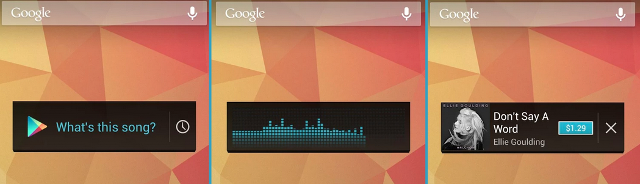
Google sound search widget is shazam look-alike. It will also link you to buy each track in the Google Play Store.

The-Google-Sound-Search-widget-weblizar-blog

Well, it is effective and can prove to be an important app when shazam is not around.

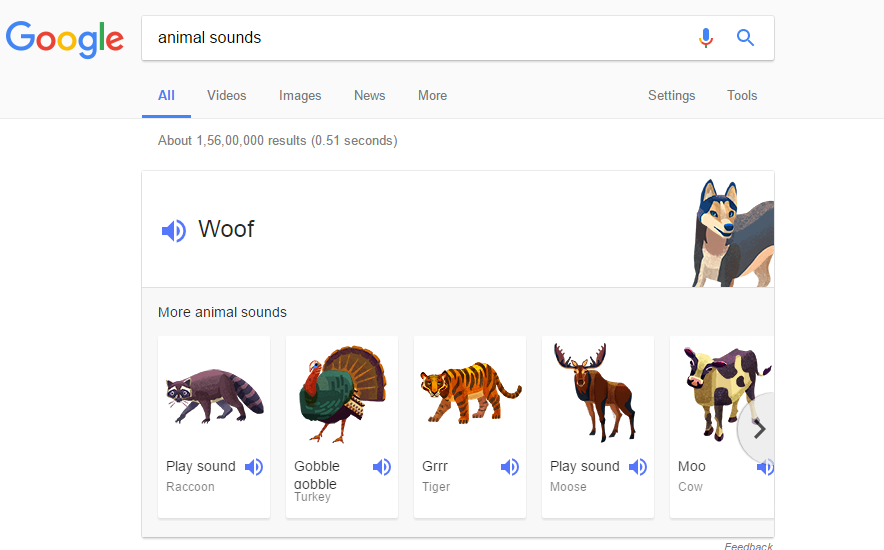
ARE YOU FOND OF ANIMAL VOICES? , Google has the solution as it has a catalog of animal noises that you can easily find by typing in “animal sounds” or by typing in the name of a specific animal.

animal-voices-google-search-weblizarblog

PS: These sounds can prove to be a life savior when you want your newborns to eat their food with ease.

If you find it troublesome to decide between causes to donate to or finding a reputable charity, Google’s One Today app makes it easy. The app shows different charities, gives a short description and lets you know how you can help.

Google-One-Today-app-WeblizarBlog

Although it has it’s cons and pros, as each and every small charity or foundation is not registered on this platform.

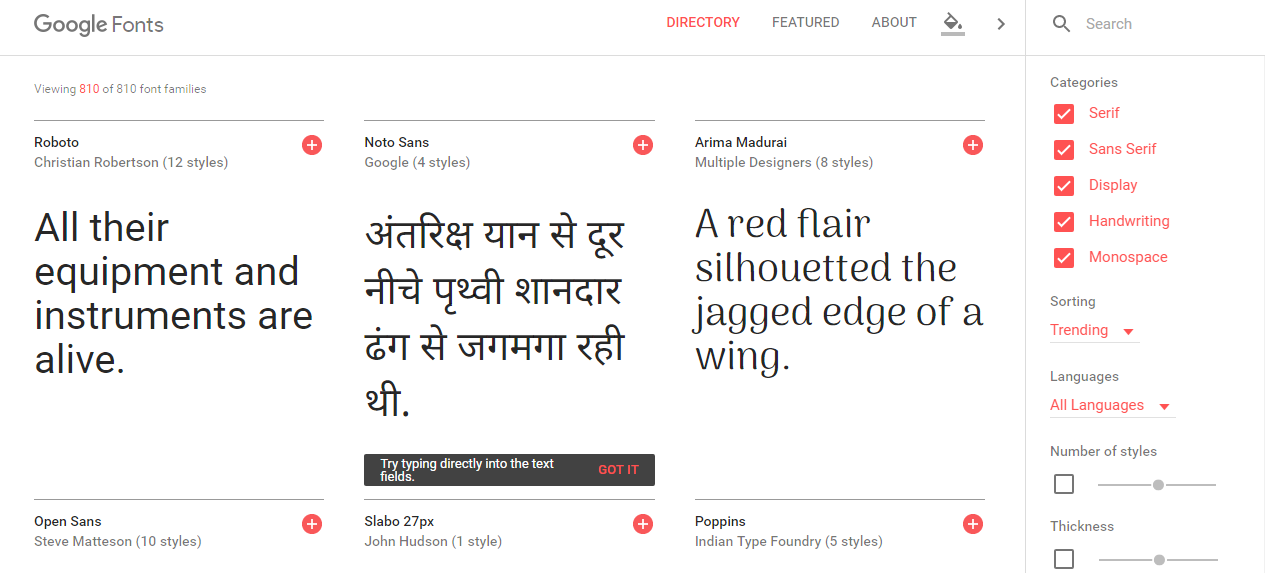
Find a gorgeous font that you can use for free (Google.com/fonts)

google-fonts

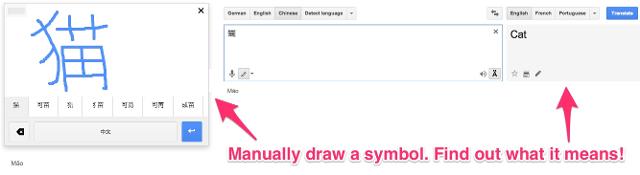
There’s a “Manual” feature in Google Translate that lets you draw characters or symbols.

Manual-feature-in-Google-Translate-that-lets-you-draw-characters-or-symbols

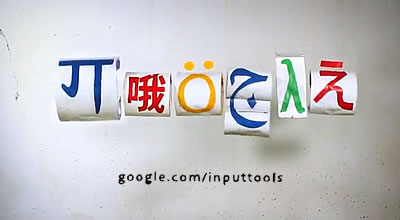
Similarly, Google Input Tools lets you type in over 80 different languages without having to download a special keyboard.

google-input-tools

Yeah, I know how to type in any language. Booyah!

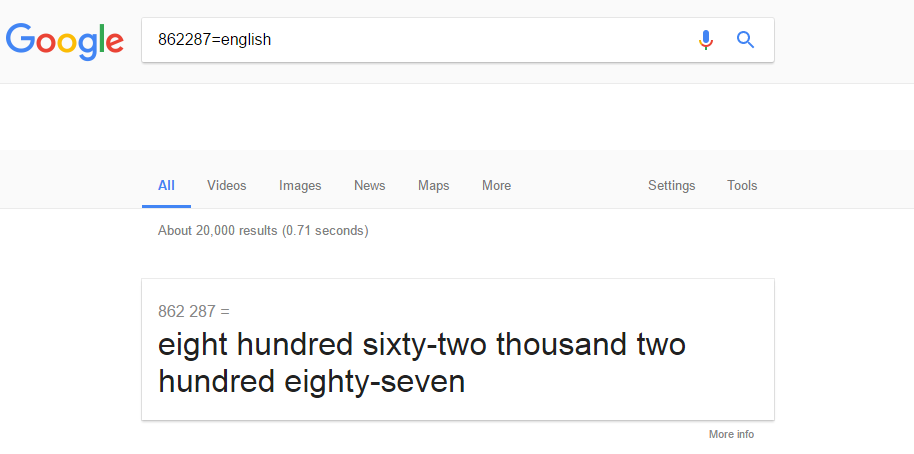
Terrified by huge numbers? Google will help you figure out how to pronounce that if you type “=english” after it.

google-search-hidden-service

Now, that is sorted.

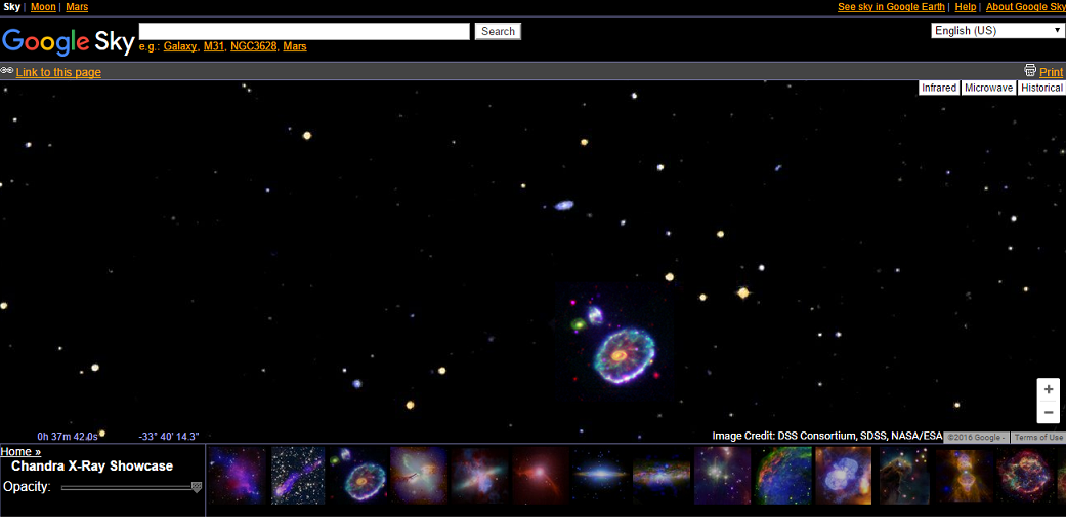
Google.com/sky permit you to explore the remote reaches of the universe utilizing images from NASA satellite, the Sloan Digital Sky Survey, and the Hubble Telescope.

google-sky

As a kid, I always wanted this type of cool online encyclopedia of the universe, although it was pretty sci-fi at that time.

And We saved the best for the last,

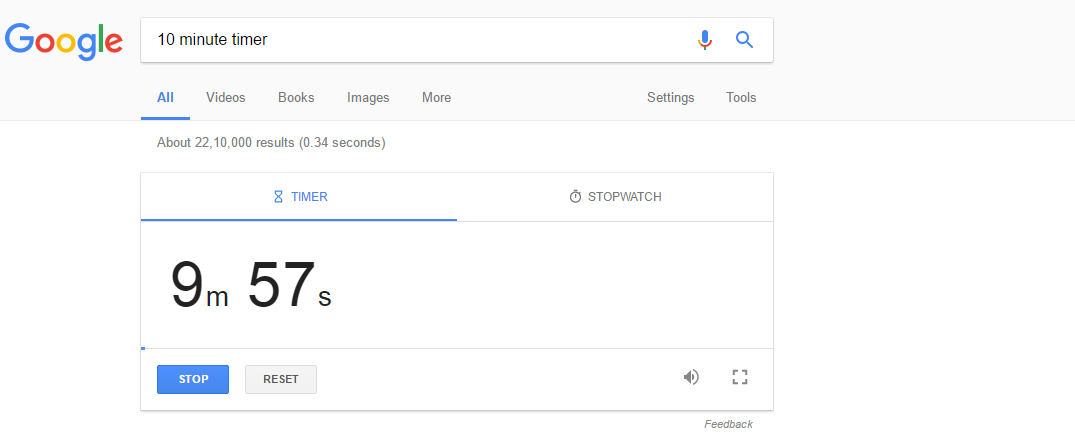
You can set a timer on Google by Googling any amount of time followed by “timer”. It triggers a sound when the time is up. Pretty awesome for deadline stuff.

google-timer

I always want a timer of 24 hours to complete my sleep and I always have this in front of me. Still helpful in many cases.

In case if you are looking for some WP Plugins or Themes, do visit.

What Will Happen if Google Disappears

This sounds like a nightmare as we all are used to say one common term if we don’t know the solution and that is ” Let’s Google “.shocking-weblizar-blog

Well, let’s take it into consideration and talk about some after google effects and some uncommon alternative platforms to google.

If you’re a regular Google user (65% of you globally) then you’ll have noticed some changes, both good and bad.

There was a time not that long ago when you could quickly split people among those that used Google, Yahoo, Ask Jeeves and AltaVista. Now it’s got to the point where if you’re not using Google, you’re considered to be a newbie in the internet world.

Right now though maybe we should be paying more attention to the alternatives. Maybe our daily lives and, for some of us, careers shouldn’t need to balance on the fickle algorithm changes of the world’s most valuable company.

Let’s see what else is out there in the non-Google world or what will happen if google disappers from our lives.

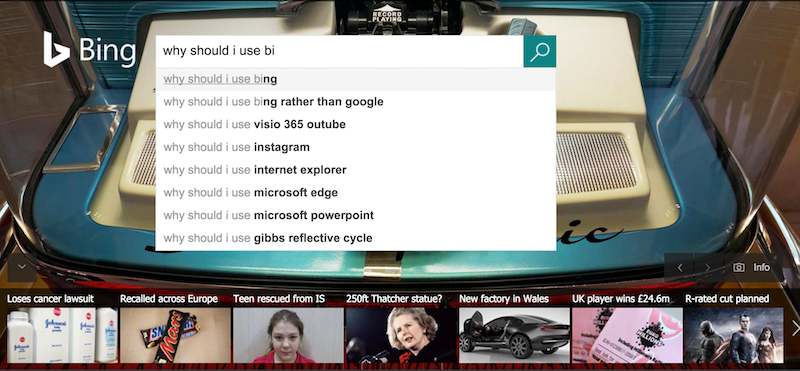
Bing

Microsoft’s search engine is the second in the most popular search engine in the world list, with almost 15.8% of the search market covered across the globe.

Although it is not that popular in Asian subcontinent and Middle Eastern countries.

If we speak about top search engine country wise, leaving apart Russia, South Korea, China and Japan, Google is the world leader in rest of all the countries.

Bing homepage

But why should you use Bing?

Let’s talk about some points:

Bing’s video search is notably better than Google’s, giving you a grid of big thumbnails that you can click on to play or preview if you hover over them.

  • Bing usually gives double as many autocomplete suggestions than Google does.
  • Bing can predict when airfares are about to slash down or go up if you’re looking for flights.
  • Bing also includes a  feature where typing linkfromdomain:[site name] will highlight the best ranked outgoing links from that particular site, helping you understand which other websites your selected site links to the most.

Also, note that Bing powers Yahoo’s search engine.

DuckDuckGo

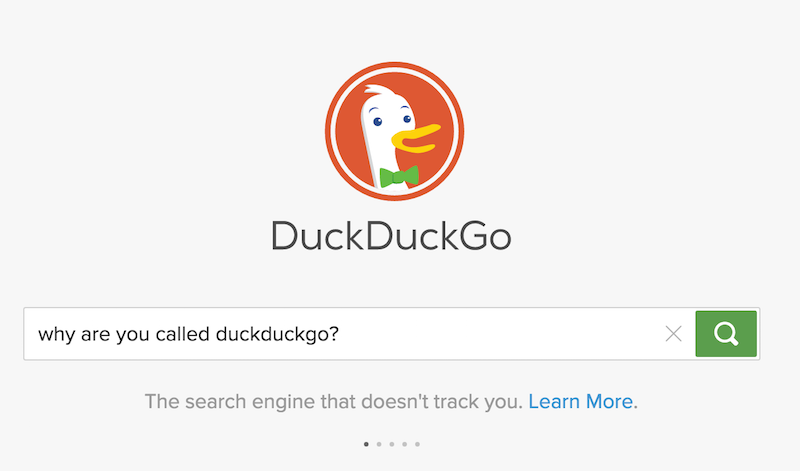
The key feature of DuckDuckGo is that it doesn’t hold its users’ data, that results in unmanipulated and most popular results instead of the biased results google shows depending on your interest, your past activities etc. So if you’re particularly startled by Google’s all-seeing, all-knowing eye, this might be the best for you.

DuckDuckGo homepage


Quora

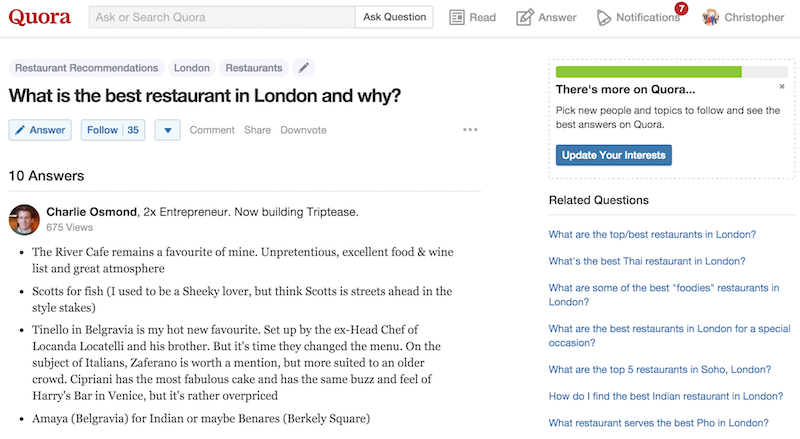
As Google gets better and better at answering more complicated questions, it will never be able to match the personal touch available with Quora, as quora give a human touch to all the queries asked as homo sapiens are answering all the question being asked and not some Artificial Intelligence.

quora

Ask any question and its experienced community will offer their replies. Or you can choose from any similar queries previously asked.


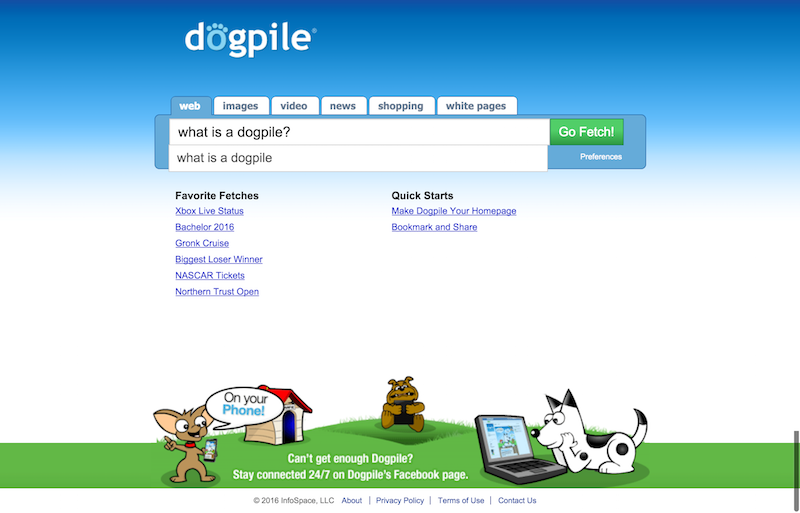
Dogpile

Dogpile is an ad free version of some famous search engines such as Yandex, Google, and Yahoo as it pulls in and curates information from them. Also, it looks more like a ppt template of some animals in the park theme. Maybe that’s what attracting people more or the accuracy of the search. Time will tell.

Dogpile Web Search

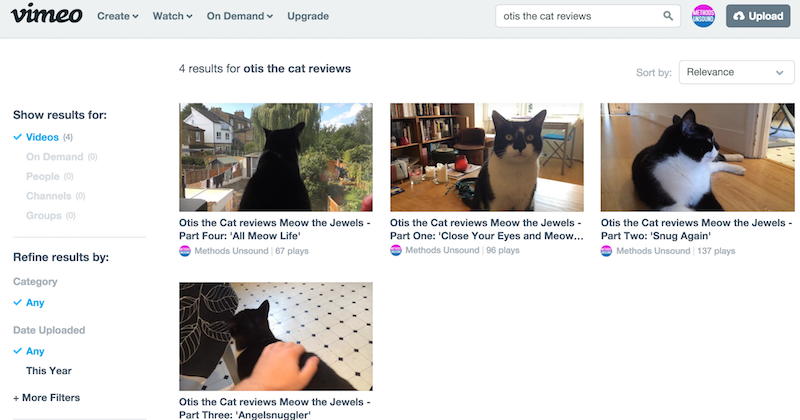
Vimeo

Of course, if Google is going down, then you’ll also have to give up YouTube, which can be a terrifying view. But there is an alternative. And a pretty good one as far as youtube’s alternative is concerned… Ladies and Gentlemen Vimeo for you. The professional’s choice of video-sharing site, which has lots of HD video and no ads.. yeeeeeyyy !!!

otis the cat reviews in videos on Vimeo

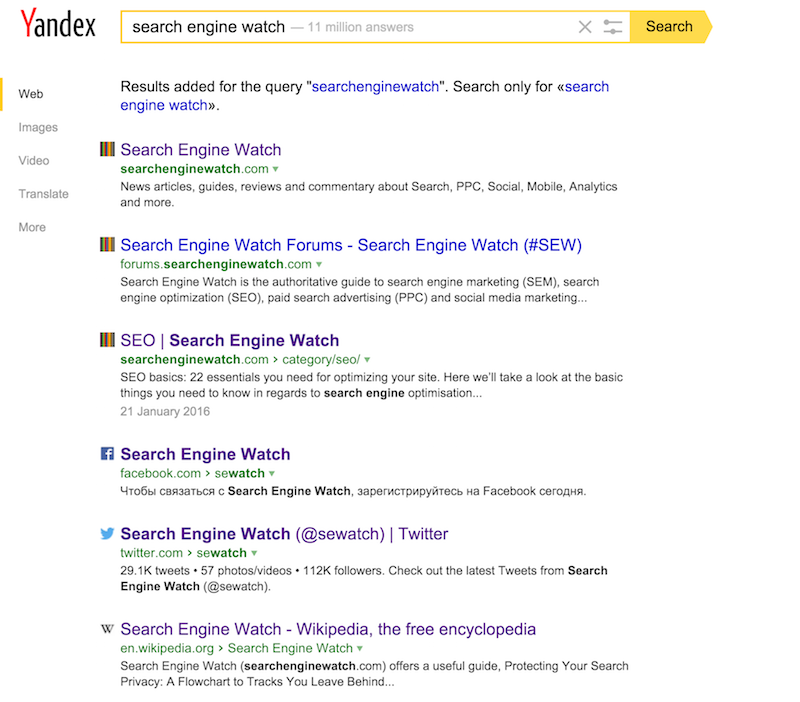
Yandex

This one’s a Russian portal, proposing many related products and services as Google, and it’s the commanding search engine in Russia covering more than 65% of all the searches in Russia.

As you can see it offers results in a nice logical setup, replete with favicons so you can clearly see the various channels for your branded queries.

search engine watch on Yandex

Boardreader

If you want to get into the core of a subject with a variety of different points of view away from the major publications, Boardreader covers results purely from different forums, message boards and, of course, Reddit.

Boardreader Forum Search Engine


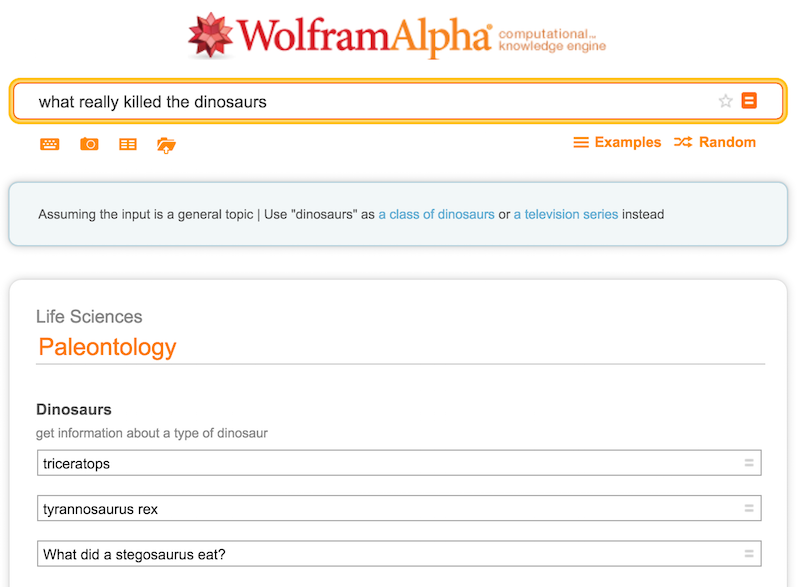
WolframAlpha

WolframAlpha is a ‘computational knowledge engine’, or like a super clever nerd those are use to rule in our classes as far as grades are concerned. Ask it to calculate any data or ask it about any case and it will give you the solution.

what really killed the dinosaurs Wolfram Alpha

It doesn’t always acts accordingly, plus you need to learn the trick to get the best out of it.

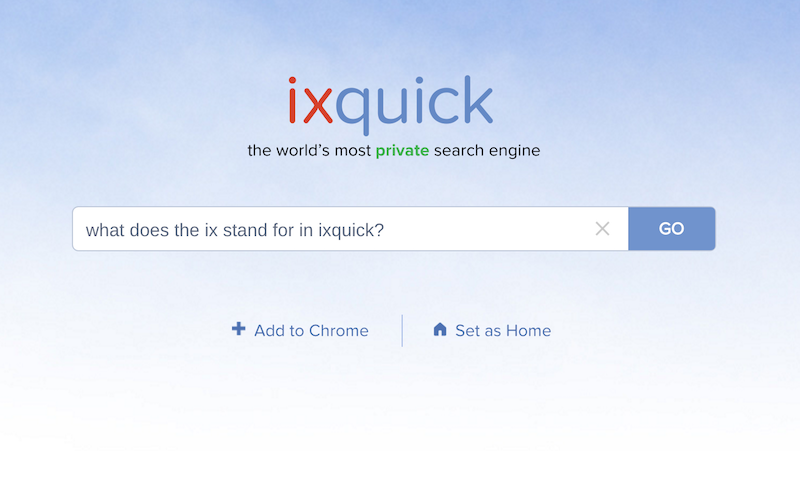
IxQuick

Another search engine that puts its users’ privacy at the vanguard. IxQuick does not store any of your information and no cookies being used while searching to make the search experience same all the time for everyone. A user can set preferences, but they will be deleted after 90 days of inactivity.

Ixquick Search Engine

Ask.com

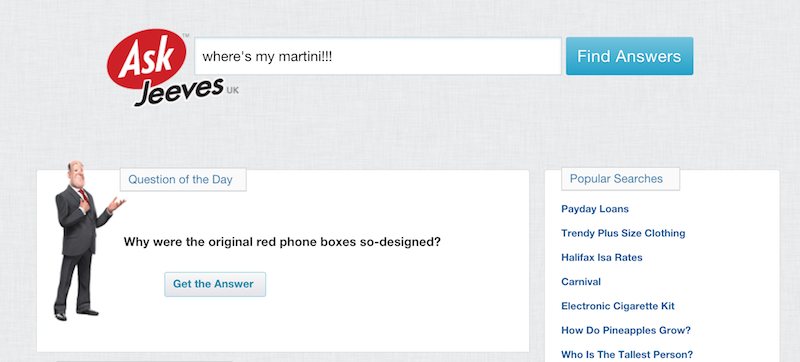
Ask Jeeves is still around and silently making his spot into the search world.

Ask Jeeves

It’s still a slightly mediocre search engine pretending to be a question and answer site, but the ‘Popular Q&A’ results found on the right-hand side are very handy if Jeeves himself can’t satisfy your query. Trust me this is the best use of right-hand side space. Google, are you watching!!!!

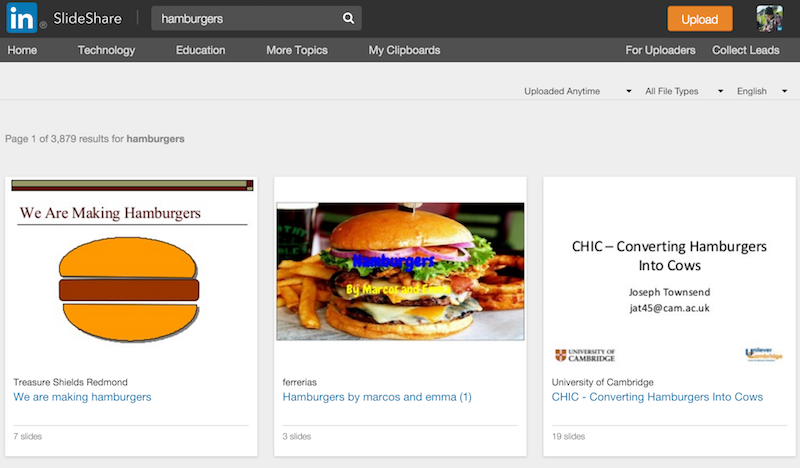
SlideShare

SlideShare is a really helpful community to source knowledge from presentations, slide decks, webinars and whatever else you may have missed from not attending a conference or a knowledgeable get-together.

You’ll also be shocked what information you can discover there.

hamburgers on SlideShare

Addict-o-matic

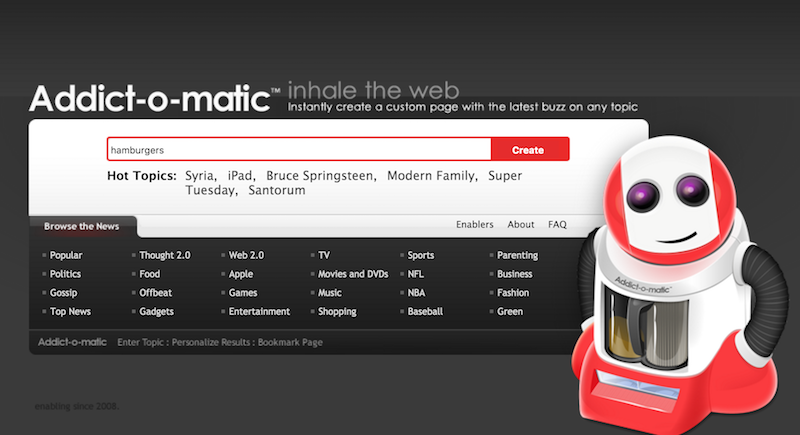
“Inhale the web” with the knowledgeable looking vacuum cleaner by creating your own topic page, which you can bookmark and see results from a huge number of channels on that one page (including Google, Bing News, Twitter, YouTube, Flickr). So it is exactly a many-at-one place kind of search engine.

Addictomatic Inhale the Web

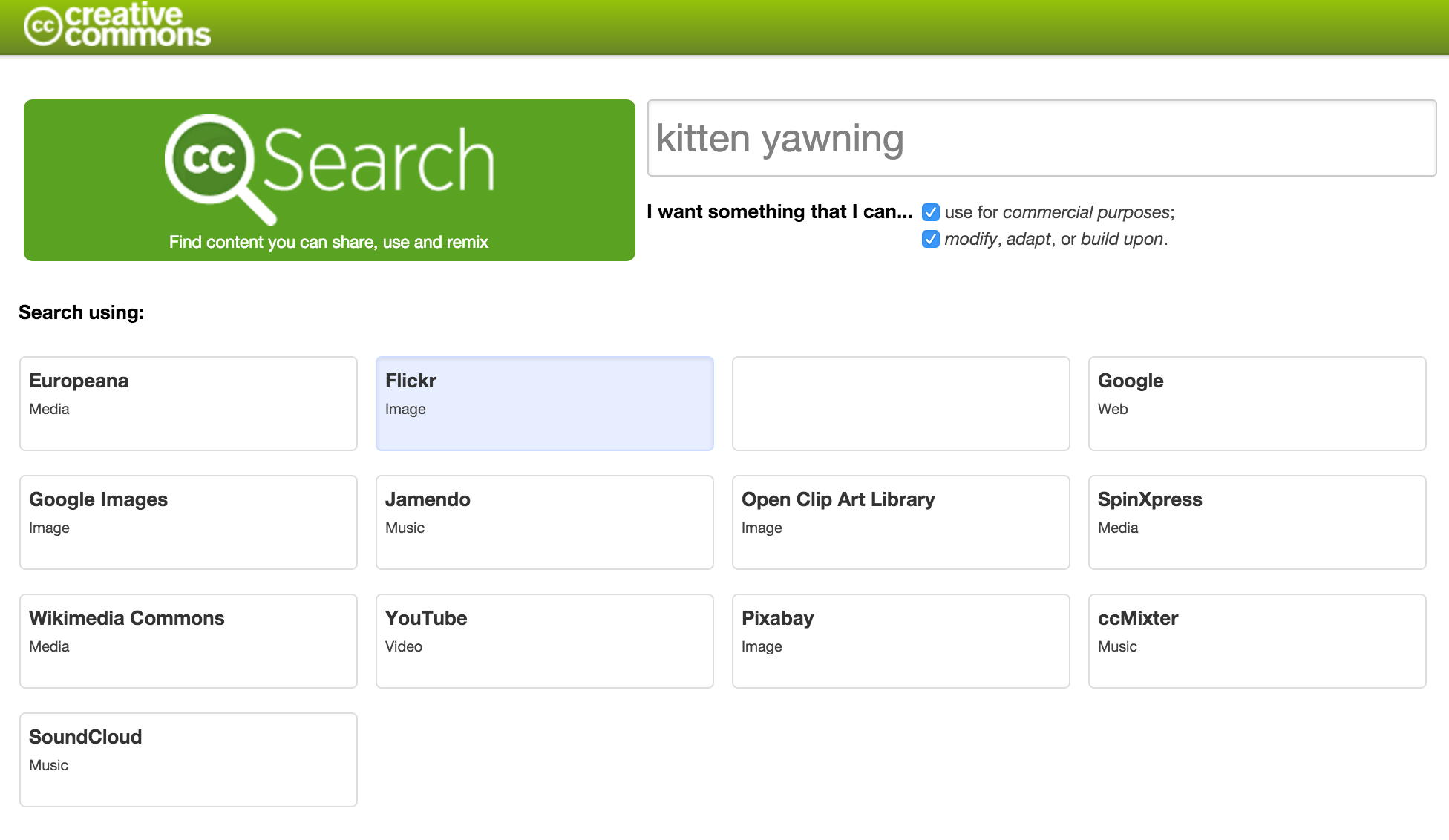
Creative Commons Search

CC Search is particularly handy if you need to find copyright free images for your website. Just type your query in then click on your chosen site you want to search.

CC Search

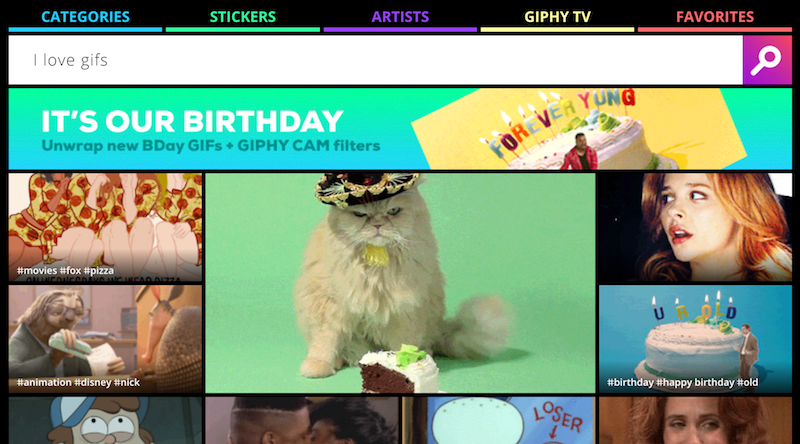
Giphy

Everybody’s favorite place for all the best in the market gif’s. It will certainly take down Google one day with bare hands. ( google please ignore to my joke cracking abilities )

GIPHY homepage


That’s all for today folks! Hope you enjoyed.

Meanwhile, if you are still stuck to how to choose best WordPress theme for your blog, kindly check that.

Or want to learn top 10 most common SEO mistakes people usually commit, then have a look.

Few Tips For WordPress Site Owners to assist SEO

Are you building a new WordPress site for your blog or your Business and now struggling with the optimization of the website, then you can relate with this,

wordpress-site-tips-seo-weblizar

For you, we have few recommended tips for all WordPress site owners to keep things in place as far as SEO is concerned.

1. Site Speed

Site speed is one out of the many vital factors which affect ranking in search engines. Fast loading websites can easily outrank slower sites. While you are consuming a lot of time refining your content policy, spare some from that time to increase your site speed.

Make sure your WordPress site loads fast. You can check your site speed on tools like Google Page Speed and Pingdom.


2. Use of Cache Plugins and CDN’s

It is recommended that you should use a caching plugin for your WordPress website. We suggest using W3 Total Cache or WP Super Cache. To give your site more speed and even more boost, you can set up a CDN ( Content Delivery Network ) service to work along with your caching plugin. On this website and on all our other websites, we use MaxCDN (Now known as Stackpath). It hugely increases our page load course.


3. Optimize your Images

You should upload optimized images only. Images can affect your site’s speed and by optimizing them you can significantly grow your site’s performance. We recommend you try SEO Images Optimizer with all the features of the plugin explained.


4. Check your Web Hosting

Last but not the least, if any of these tips aren’t improving your page speed, then its most likely your web host’s fault. You need to move to a better WordPress hosting provider. We recommend using Siteground because they have fully optimized servers to run WordPress sites.


Hope you enjoyed these tips, try and implement and comment if you need any help.

Also if you are looking some factors for considering a good theme for your WordPress website, Read this.

Or you can check 15 Best HTML WordPress Templates.

Top 10 Most Common SEO Mistakes

Optimizing your website and weblog is an important part of your content promoting strategy. whereas SEO is an ever changing field, it stays on top of marketers’ agendas because it is a powerful way to bring footfalls to your company’s outlets and to direct them towards your sales funnel.

SEO strategies are perpetually evolving because of search engines’ developments and users’ dynamic views. it is not that simple to remain on top of the foremost booming optimization techniques, with several businesses falling into the lure of incorrectly doing SEO, rather than seeing large traffic and increasing conversion rates, the results are quite different.

There are some common SEO mistakes that are almost unavoidable. Testing optimization approaches is also tough since you can’t verify your strategies in real-time since search engines’ rules are getting arduous to predict.

While the optimization field is ever-evolving, some practices are proving effective, whereas others are harmful at the end of the day. Let’s review the top 10 common SEO mistakes you must avoid making sure your business online presence can bring the required results to match your efforts.

Let’s talk about our top 10 most common seo mistakes.

1. Selection of Keywords

The key to optimization are the keywords that you wish your website to rank for on search engines. However, are you selecting the correct ones?
Keyword-Selection-Weblizar

One of the most common mistakes in choosing keywords is ignoring the priority of search engines and users for long-tail keywords. Whereas you would possibly define your product and services in a very certain manner, it’s more necessary to know what words your potential customers would use to reach to them. Generally, the terms you think are correct may possibly mean something completely different for others, or may be too generic. In either case, you’ll be optimizing for all the incorrect keywords.

It’s best to try and do your background analysis carefully before you begin the optimization. Using tools just like the Google AdWords KeywordPlanner, Google Trends, SEMrush , AHREFS and Moz Keyword explorer will facilitate vastly in putting your finger on the tip of trending and adequate keywords.

2. How to Stuff your Keywords

You might assume using your target keywords in each and every sentence of your content would boost your rankings online. This strategy isn’t much but a myth. In fact, exaggerating your chosen keywords is registered as spammy by search engines, which implies it badly hurts your SEO performance.

That’s why keyword ‘stuffing,’ or overusing your supposed keywords, isn’t crucial to your SEO success. Such an approach would create your content unnatural and useless for its meant audience. In fact, Google is using a special linguistics search known as Latent Semantic Indexing (LSI). This program will identify your content’s subject without the necessity for stuffing your content with repetitions of your target keywords.

3. Posting Content Unrelated to your Keywords

Another common snare in SEO optimization is generating content that’s not really concerning your keywords. The matter of fact is that you simply need to rank for a particular keyword, but you fail to focus the text on your target topic. Search engines like Google make it sure to serve their users with the most relevant content for their search terms. Thus, if your content doesn’t answer user needs, it won’t rank well.

This error is usually a result of making an attempt to suit a couple of entirely different topics among a single piece of content, making low-quality work only for the sake of including keywords or optimizing for many keywords in one article. Your primary goal ought to be to provide content that really corresponds to the queries and needs of your audience, as well as using the correct search terms. Then search engines are going to be able to trace your content as resemble the keyword you’re optimizing for.

4. Content is King

This next ordinary mistake is expounded to the standard of your content. While duplicating lines was a normal practice back in the days, now search engines punish this approach. Repetition and copying content is seen as a spammy method and is extremely downcast.

content-is-king-weblizar-blog

Duplicate and slim content merely don’t work. Rather than scratching off the copy from different places or using the software system that alters the content into a brand new form, it’s worth investing in making original and purposeful texts. This is often the only way to ensure your website doesn’t get downgraded and pushed within the back of search results.

5. Don’t Forget Title Tags and Meta Tags

Optimizing your content doesn’t end once you contain a target keyword in your post. Title tags and meta descriptions are essential components of SEO that should not be overlooked. Skipping them directly means to decrease the potential of your content. These optimizing factors are taken into account by search engines once crawling your online property, thus if properly done, they’ll improve the appearance of your content.

Another technical aspect that content marketers generally skip is encoding image tags to all the images. The alt tags of the visuals you cover in your content are vital, as they’re another sign of how you’re targeting articles. Search bots cannot see the images – however, they’ll scan the alt tags and add this info in the manner they index your pages.

6. Backlinks

To get the most out from SEO, content marketers these days should know this that the quality of external links included in content is much more necessary than their quantity. That’s why it’s better to make sure you are linking to relevant, well-ranking and good PR websites with solid online reputation – not simply any website. It’s also helpful to link back to sites that have connected to you, as this brings back traffic later on.

Another dangerous practice when it includes links is using useless anchor text. This wastes valuable SEO opportunities because the anchor texts signify to the reader and to look bots what the link is regarding about and the way it will be beneficial to users. Thus, avoid using ‘click here’ as an anchor text and ensure you pick for a range of anchor texts, and not using a similar text over and over again that will be seen as spammy.

7. Keep your Internal Links on the Grid

There is also another common mistake once including internal links that you really should look out for. Typically, it’s essential to assume your top-performing pages and think about injecting links to them in your content. This is often a way to provide them visibility and make further traction. But ensure you don’t comprise internal links only for the sake of arranging them in a piece of writing if they don’t match the topic and focus of the composition.

As with keyword stuffing, it’s crucial to observe out and not exaggerate internal linking. If the content and links appear unnatural, the work will not be appreciated by your target customers. it might not be favorably treated by search engines either because it is seen as a dishonest practice.

8. Mobile-Friendly Experience should be Maintained

SEO isn’t solely about content and keywords. It’s also regarding the condition of your website, significantly its performance on mobile devices, that are users first priority these days. Google and all other search engines will recognize once your website isn’t mobile-friendly.

If you haven’t thought of a sleek mobile experience for your audience, your grade on search engines will be jeopardized. A similar concept goes for load speed, as it is also an important factor as far as search engines are concerned. You shouldn’t be shocked if a slow website results in lower SERP. You can use online tools like Pingdom and GT Metrix to research where the speed issues come from and the way to repair them.

9. Increase Social Media Power with the help of Influencers

Optimization contains a social dimension also. After you are distributing your content on social media, one among your main purpose is to induce the awareness of users who have a major online influence. This indicates that their content gets noticed by each your readers and by search engines. That’s why it’s vital to make a connection with such ‘power users’ and to use their reliability to market your content.

Another side of this can be submitting your blog posts or website promo to social sites like Digg, Reddit, or Quora while not having a power user. It’s abundantly easier to create noise about your content once the user sharing it has plausibility on that network. Building link and doing structured reach via influencers is an essential part of your optimization plan.

10. Analytics is the key to ” Repeating Success “

Last but not least, the sole way to understand if your SEO optimization and content efforts work are to trace their growth. Several marketers would ignore the numbers, however, this is often a heavy set of mistake. setting up and frequently reviewing your analytics is crucial for your optimization results.

Google Analytics and Google Webmaster Tools are simply two of the most amazing tools you can use to calculate and acquire a summary of your website’s performance. With their help, you’ll be able to see how your optimization is functioning for numerous types of content and using various ways you’re attempting to reach out to your targetted audience.

Search engine optimization is a crucial part of any content promoting strategy these days. While you can notice lots of recommendation online, creating a variety of typical SEO mistakes is kind of common. Instead, it’s better to urge well acquainted with the challenges that others have experienced and avoided them in your promoting efforts. These ten errors have evidenced quite widespread so that they are currently easier to recognize before you make them.

Hope you had learned a lot of the top 10 most common SEO mistakes,

Meanwhile, you can also check out to some of the useful WordPress Plugin that ensures your image is SEO friendly or a Responsive Image Slider to show your photographs.

More Plugins.

Read about how you can boost your video rankings on search engines or Most Googled terms of 2016.

10 Google Apps You Probably Didn’t Know About

Web Giant Google is thinking of new possibilities every second and trying to implement all those thoughts into reality by making an app or a platform for it, which eventually facilitates its users and ease them to face their real life problems whether it is at work or anywhere around them.

Today we are going to talk about 10 google apps you probably didn’t know about.

Google owns a vast empire of apps and platforms those are secret or publicly helping out people in their day-to-day life challenges.

10 Google apps you probably didn’t know about are:

1.) Google Contributor

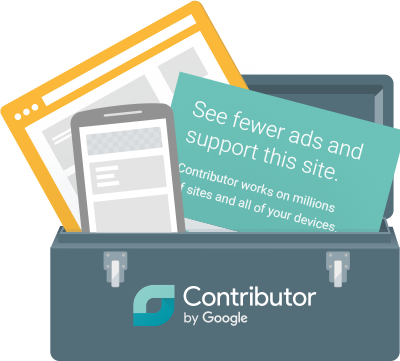
google-contributor-weblizar-blog

Google Contributor helps sites or blogs those are earning money by your visit on to their particular sites. It could be with the help Google Adsense or Direct Marketing or any other means of marketing.

It simply asks you to contribute a certain amount of money for these sites so that it won’t show you unnecessary ads and banners to promote external products or services instead it deducts the amount directly from your contributor amount and pays it to the site owner.

So, instead of suffering from unwanted ads, you can put your to-do list on that ad space or your family picture etc.


2.) Google X

google-x-weblizar-blog

Google X (now known as X), is a semi-secret research and development facility founded by Google that operates as a subsidiary of Alphabet inc.

Under which, Google worked on some very interesting known projects such as Project Loon, Waymo, Wing, Glass and Barge. You can read about those projects here.


3.) Google Knol

google-knol-weblizar-blog

Google Knol (now known as Annotum), makes it free and easy to create, collaborate on, and publish credible web content.

Create an Annotum Site On WordPress.com

  1. Go to en.wordpress.com/signup and create a new WordPress site.
  2. In your site’s dashboard, navigate to the “Appearance > Themes” page.
  3. Search for the “Annotum” theme, and activate.

Create a self-hosted Annotum Site (on your own server)

  1. Follow your hosting service’s instructions for setting up WordPress.
  2. In your site’s dashboard, navigate to the “Appearance > Themes > Install Themes ” page.
  3. Search for the “Annotum” theme, and activate.


4.) Google Body

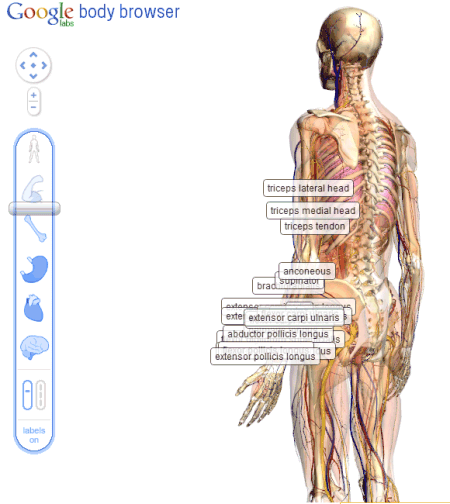
google-body-browser-weblizar-blog

Zygote Body, formerly known as Google Body, is a detailed 3D Model of a human body which was developed for the educational purpose and to understand human body better.

Many people took advantage of google body for their science projects since it elaborates every possible bit of knowledge about the human body in the best possible manner.


5.) Google Latitude

google-latitude-weblizar-blog

We all know how important it is to keep an eye on our loved ones and their daily commutes.

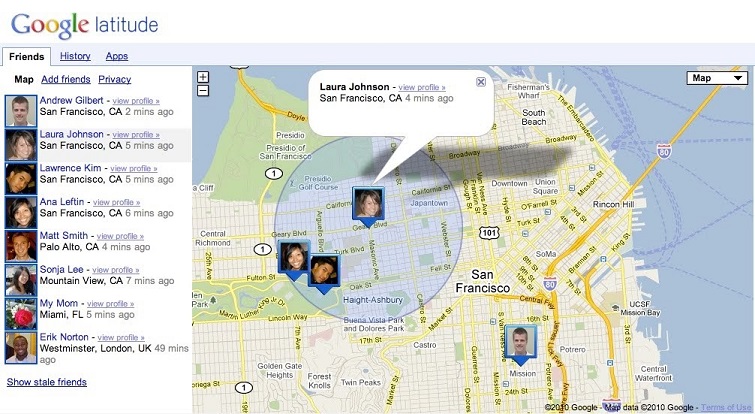
Well, google latitude solves the problem, as with the help of google latitude, you can know whereabouts of your friends and family.

It works by tracking your cell phone location and sending the coordinates to a common platform where your group members can check your existing location or your past location.

google-latitude-live-image-weblizar-blog

Only people whom you acknowledge have access to check your real-time location.

PS : Google Latitude is now retired


6.) Google Code

google-code-logo-weblizar-blog

Google Code is a place which offers a free collaborative development environment for open source projects.

It was basically a place for external developers to submit their code and to get a chance to work with google over it. Now it is segregated into Google Developers and Google Code Project Hosting


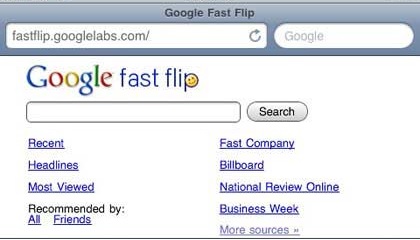
7.) Google Fast Flip

google-fast-flip-weblizar-blog

Google Fast Flip was an online news collector that mimicked the experience of turning pages of a newspaper or a magazine in real life.

To know more about the fast flip, you can check it’s Wikipedia page.

PS : Google Fast Flip is retired.


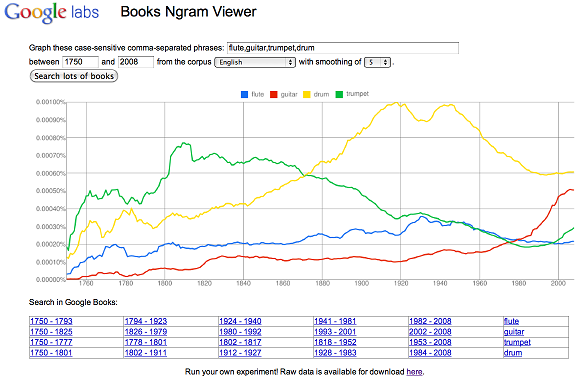
8.) Google Books Ngram Viewer

Google-ngram-viewer-weblizar-blog


Google Ngram Viewer visualize the rise and fall of particular keywords across 5 million books and 500 years, which works as a real help for all the authors and art lovers to understand the frequency of any particular genre of words.


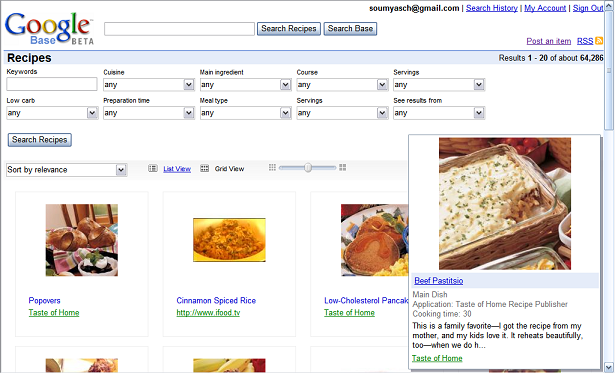
9.) Google Base

GoogleBase-logo-weblizar-blog

Google Base is a place to submit your online or offline content for public to read it. It could be your personal blog or a recipe or something that interests a niche audience.

PS : Google Base is retired.


10.) Google Creative Lab 5

google-fiver-weblizar-blog

Google creative lab 5 is a one year, paid program in google creative lab where you can work on things big, small and ideally first of it’s kind within Google.

Most Googled Terms of 2016

Usually, people think what’s the FUSS about the most or the best-googled terms of any year.

GoogleTrendsLogo

At the end of every year, GOOGLE releases a list containing most googled terms of that particular year.

Most Googled terms of 2016 are as follows:

1) Pokémon Go

2) iPhone 7

3) Donald Trump

4) Prince

5) Powerball

6) David Bowie

7) Deadpool

8) Olympics

9) Slither.io

10) Suicide Squad

The most popular search on Google in 2016 was undoubtedly Pokémon Go which shook the world with its record-breaking release downloads from Google Playstore and Appstore, followed by iPhone 7 and Donald Trump. The No. 1 search term hit the heights in the month of July when everyone was going crazy with  Pokémon Go.

The No. 1 search term hit the heights in the month of July when everyone was going crazy with  Pokémon Go.

Prince’s, an American singer-songwriter, multi-instrumentalist, and record producer, sudden demise on April 21 pushed the artist into the top five most searched terms for the year.

“Powerball” also made the top five after the biggest lottery drawing in US history happened back in January, followed by two major movies of the year 2016 Suicide Squad and Deadpool.

Slither.io made his spot on 9th position, a game so addictive and a time-killer can do it anytime.

You can find Google’s full list of search trends for the year at Google’s Year in Search 2016.

Google’s Latest Update in Google App

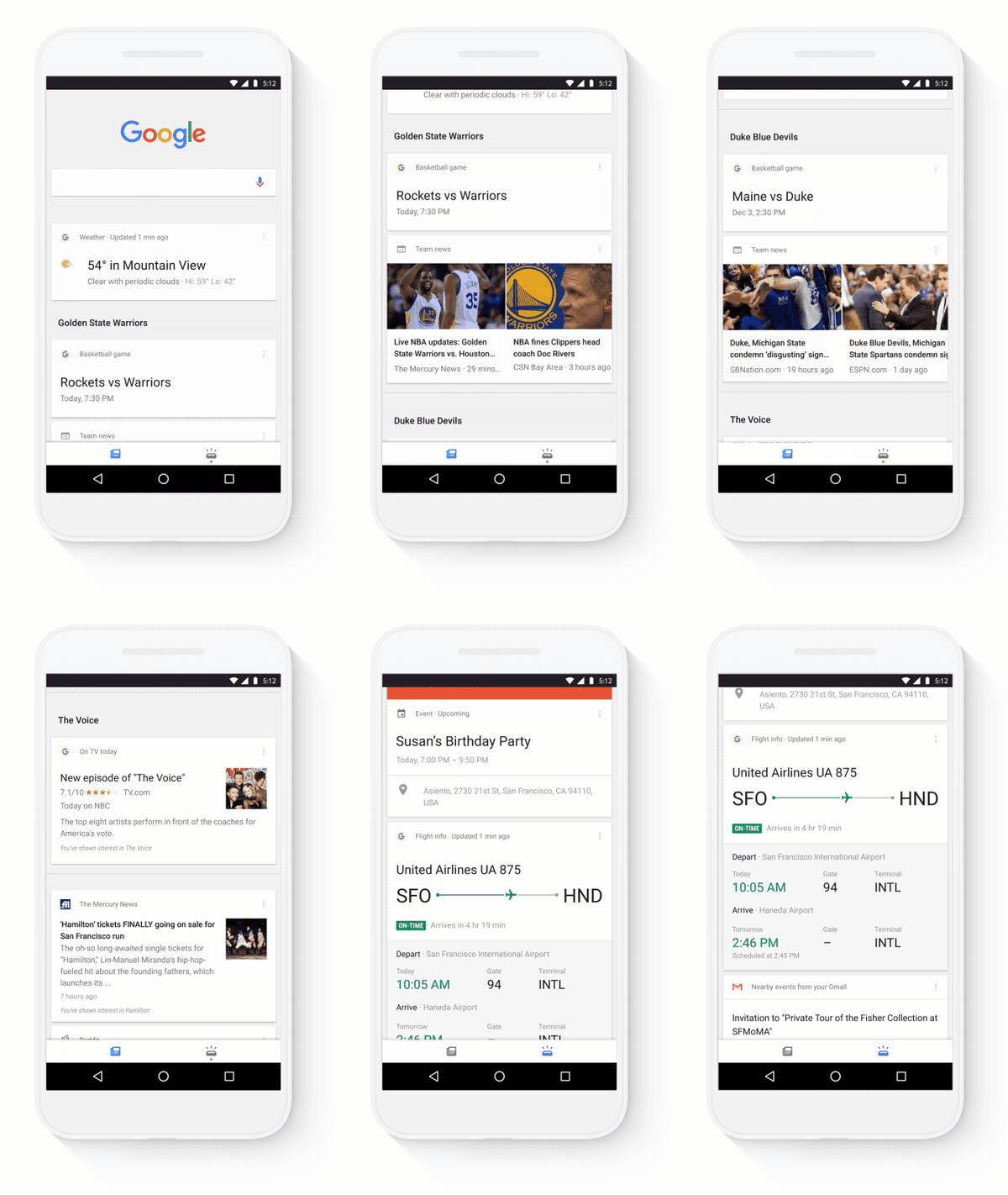
A few days back Google announced latest updates to its app. Google app cards will now be segregated into two different categories — one that includes current interests of the user and another for all the upcoming events.
Google’s latest update to its app is proving to be worthy as now the user is having much more relevant experience than ever before.

“Initiating recently, in the Google app on Android and IOS, your cards will now be organized into two segments,” says Google product manager Fred Brewin on the official Google Search Blog. “A feed that keeps you updated on your interests like sports, news, and entertainment, and a section for your upcoming personal info, like flight timings, appointment fixtures, and much more.”

Google says a user’s feed will become more relevant the more they use Google. Also, in addition to the “Customize” tab in the settings menu, Google also added a card that lets users choose specific topics of interest to better personalize app content.

The cards categorized as “Upcoming” will work as a dashboard, listing things like a user’s daily schedule, commute times, and even package delivery updates — details the app pulls from other Google products in use.

Google showed this animated image to demonstrate how the freshly updated cards will:

weblizar-google-update-blog

Keep coming for more interesting digital updates.